
A message in under 30 seconds
Interactive forms suggest data and check it before sending, so PUESC does not reject declarations over typos.
IntelliSent connects directly to PUESC, fills in company data from the tax number and guides the driver all the way to the delivery confirmation. In the browser and on the phone, nothing to install.
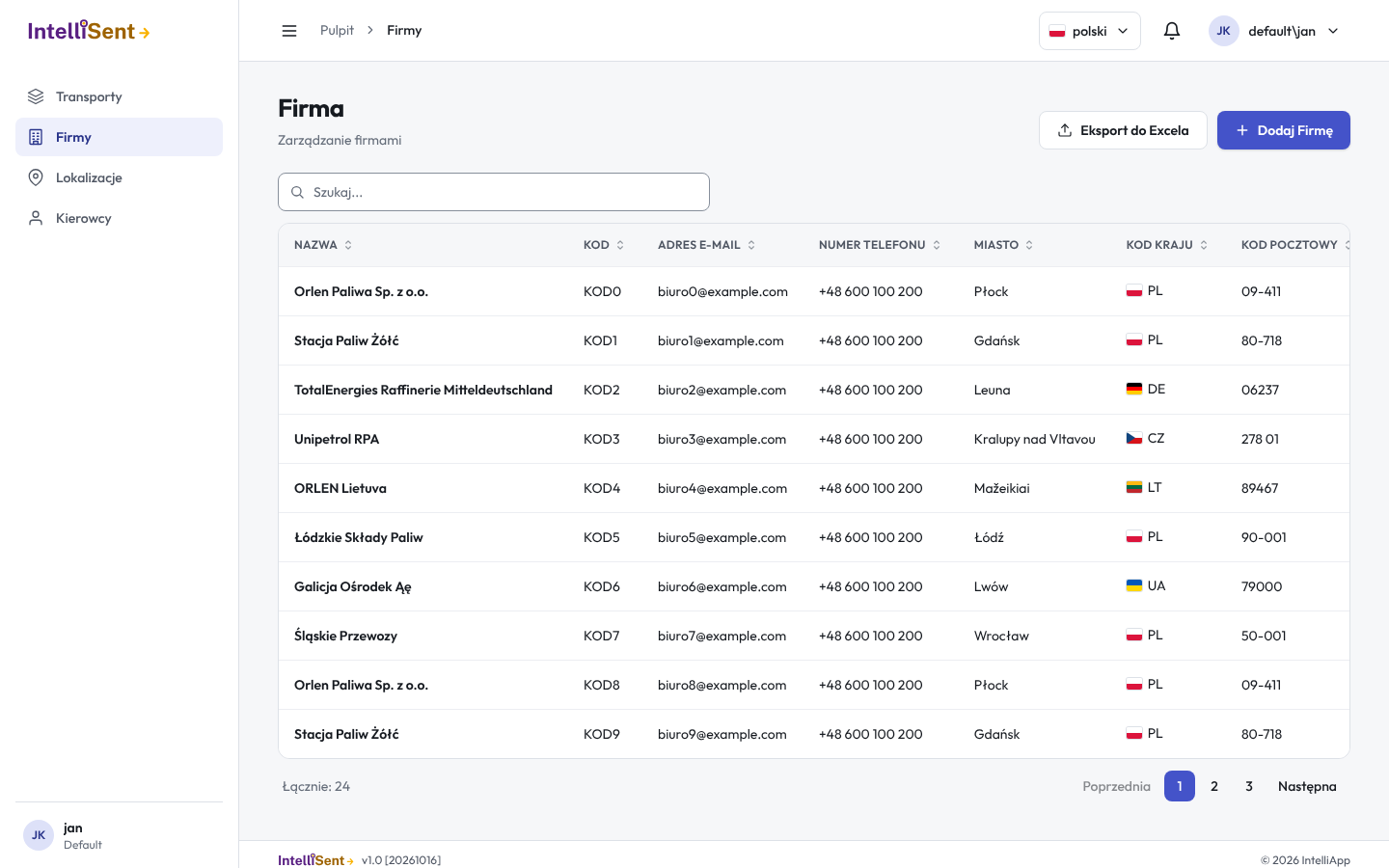
The order board and the customer portal close the whole sales loop inside IntelliSent. Customer orders land on one board and move through the stages: from intake through planning and dispatch to delivery and invoicing. Moving a card to "Ready to ship" creates the transport and sends SENT 100 or adds the order to a cumulative transport, and "Delivered" closes the declaration with the delivered quantity.
The form asks only for what PUESC really requires. Your lists and public registers fill in the rest.
Sender, recipient and carrier data come automatically from the GUS and PUESC registers. A company saved once lands on your list.
Locations with a map and coordinates, goods with CN codes, vehicles and drivers. Templates and duplicated transports cut the next declaration to a few clicks.
The SENT number and keys come back to the transport list. You update, close and cancel declarations with one click, and if PUESC is down we walk you through the emergency procedure.
Unlimited messages and users. One app for the office, the dispatcher and the driver.
Interactive forms suggest data and check it before sending, so PUESC does not reject declarations over typos.
One declaration for many recipients, up to 20 items with their own addresses and coordinates. Each delivery is confirmed separately.
The driver gets a link by SMS or e-mail, sees the transport data, navigates with Google Maps and confirms the delivery from the phone, no sign-in needed.
Type the tax number and the name, address and registry data come from GUS and PUESC. Your lists of companies, locations, goods and vehicles grow on their own.
Documents are generated from the declaration data: print them, save as PDF or send to the driver. Missing a report? We will add it for you.
Your customer, employee and driver are informed about the declaration automatically. You see who confirmed and when.
Load lists from CSV and SENT XML, move your data from HuzarSENT, PentaSENT and PentaTAX. A REST API integrates with your own systems.
Add as many employees as you need. Roles and permissions, an activity log and two-factor sign-in come as standard.
Encryption, regular backups and Microsoft Azure infrastructure. Your data is available only to your users.
Delivering fuel to several stations in one run does not need several SENTs. You declare a cumulative transport and the driver confirms each item separately, in delivery order.
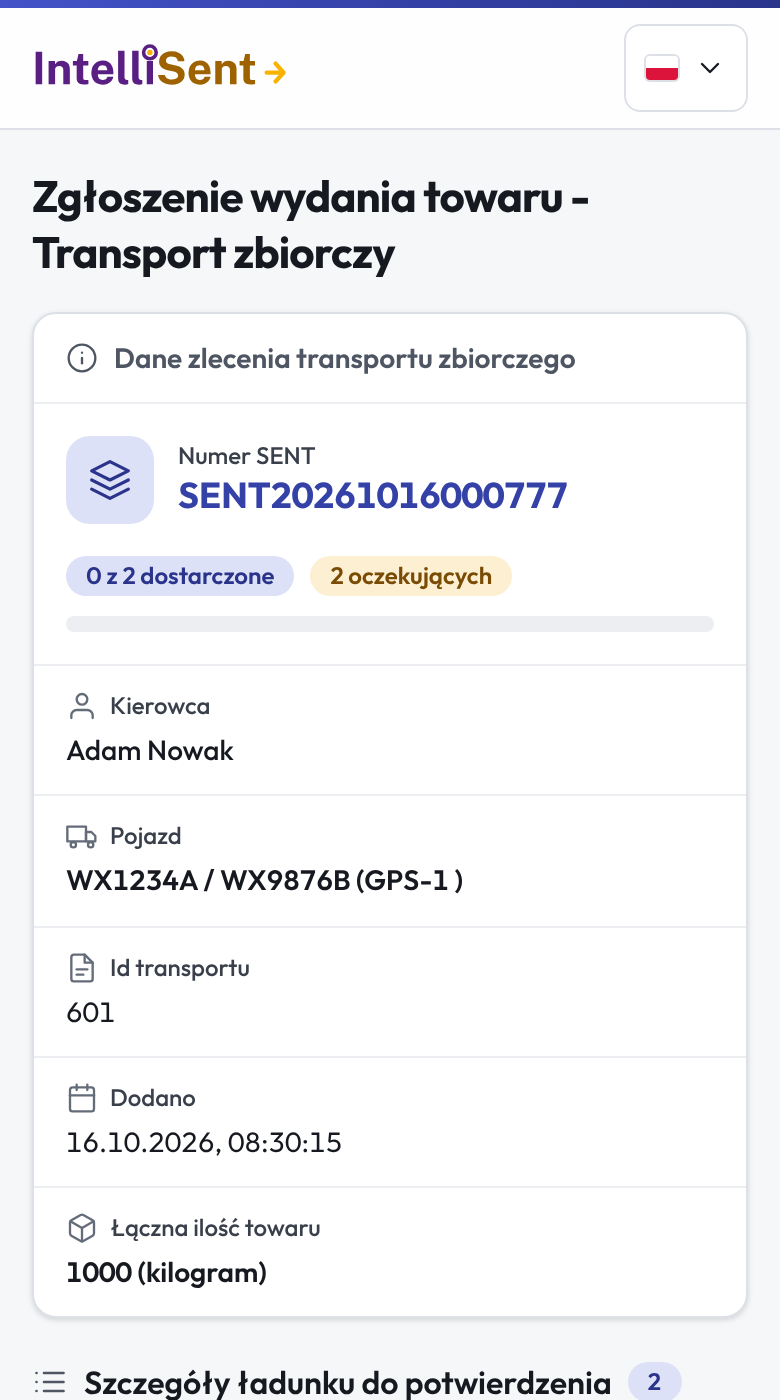
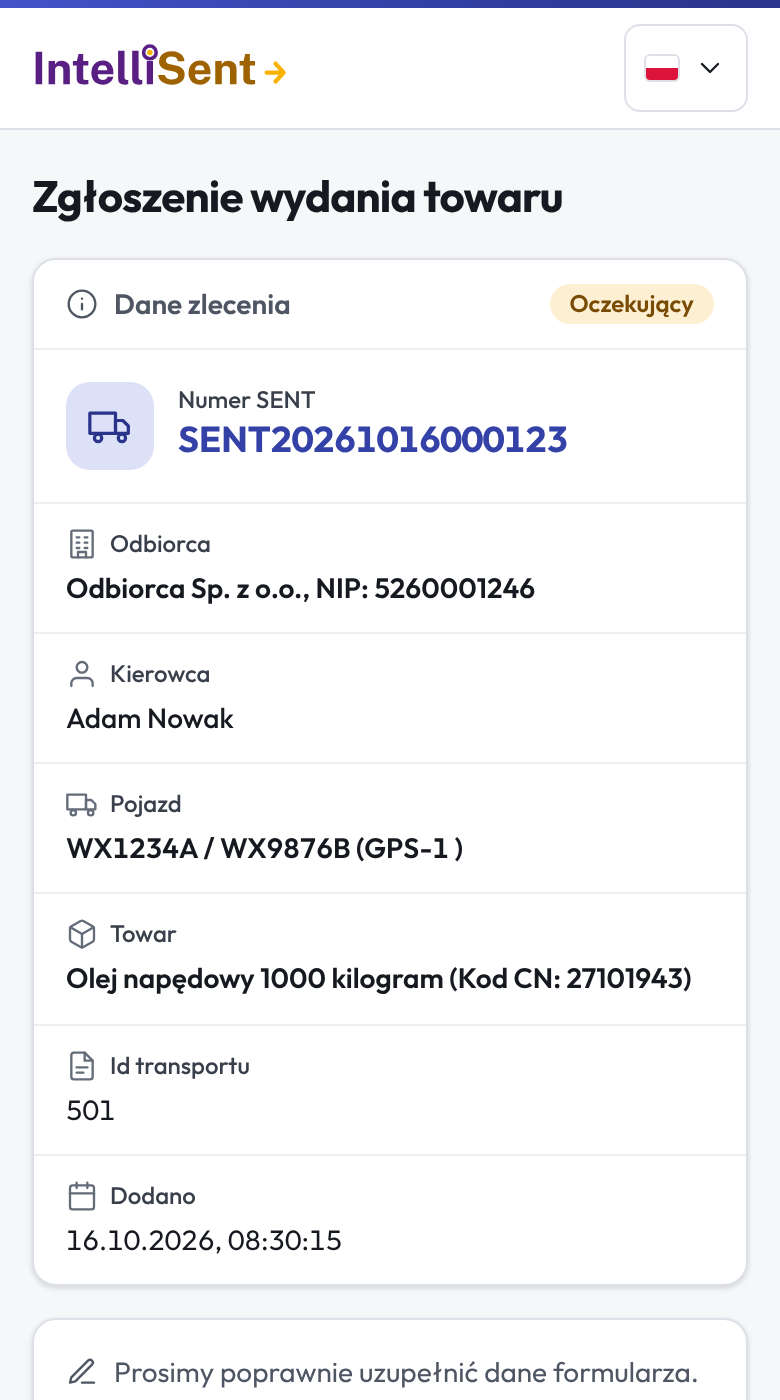
Once the declaration is sent, the driver gets an SMS or e-mail with a link. They see the SENT number, recipient, goods and route, and after unloading they enter the delivered quantity. The data is back in the office immediately.
The SENT number, keys, goods and quantities go onto the document straight from the declaration, so the printout always matches PUESC. Before printing you choose columns and sections, and you send the document to the driver with one click.
We rebuilt the interface from scratch while keeping every feature and every form you know. Same database, same data, a new way of working.
Load the export from your current program and your companies, locations and goods appear in IntelliSent ready to use. No local installation and no retyping of contacts.
Every fuel company and every carrier works differently. If something is missing, we build it for you: new reports and documents, extra fields, your own rules, integrations with your ERP or TMS. One contact, no middlemen, and the change lands in the app with nothing to install on your side.
Tell us about your processNareszcie znalazłem produkt, który usprawnia mój biznes, a przy tym nie muszę martwić się o dane ani utrzymanie systemów IT. Teraz możemy bez stresu zarządzać flotą transportową i kierowcami.
Dzięki IntelliSent mogę sprawnie rozwijać firmę i ograniczać koszty obsługi. Zapomnieliśmy już, jak uciążliwą procedurą było żmudne uzupełnianie formularza SENT. W końcu moi pracownicy z chęcią rozpoczynają swój dzień pracy.
IntelliSent receives PUESC announcements and shows them in the app. When the emergency procedure is in force, a banner shows the period it applies to, and you send the declaration under the emergency procedure with one click from the transport list.
Create an account and set up your company in 5 minutes. Free to test, no prepayment, no card. Rather have us show you the program? Leave your details and we will call you back.
